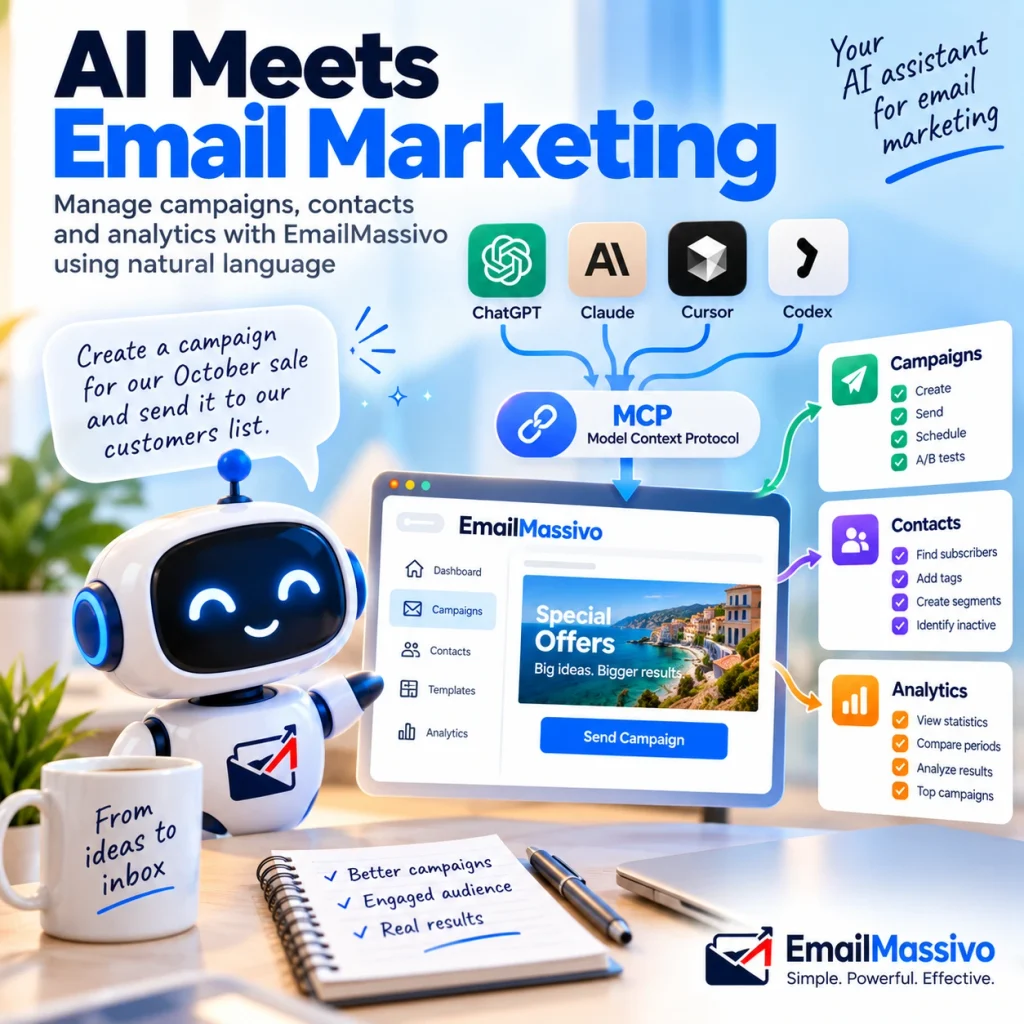
An AI assistant can write an email. Without a connection to your email marketing platform, however, it does not automatically know which contacts are in your account, how previous campaigns performed, or which actions it can take.
MCP provides a structured connection between a compatible AI application and an external service. Instead of copying campaign statistics into a chat and manually carrying out every instruction, you can let the assistant use permitted platform tools.
The EmailMassivo MCP server supports campaign, contact and analytics workflows. The practical question is how to use those capabilities while keeping control over recipients, content and sending decisions.
Quick Answer: What Is MCP for Email Marketing?
MCP for email marketing means using the Model Context Protocol to connect a compatible AI assistant to an email platform’s permitted tools and data. MCP is an open specification, not an AI model or an email delivery service. It can let an assistant retrieve campaign information, work with contacts or request supported actions, rather than only generate copy. What it can actually do depends on the server’s tools, your authorization and the client’s capabilities. OpenAI’s MCP documentation explains this connection between AI clients and external systems.
What Is the Difference Between AI Email Writing and MCP?
AI generates. MCP connects. An assistant’s writing ability and its access to an account are separate capabilities.
Without a platform connection, you might ask an assistant to suggest subject lines, rewrite a newsletter or interpret statistics you supply. Those tasks do not establish that it has inspected your account or changed anything inside it.
| Task | AI without a platform connection | AI with an authorized email marketing MCP connection |
|---|---|---|
| Write email copy | Generates text from the supplied context | Can combine writing with permitted account data |
| Understand previous campaigns | Needs you to supply the information | Can retrieve information exposed by available tools |
| Review analytics | Interprets pasted figures | Can request supported campaign statistics |
| Manage contacts | Suggests selection criteria | Can use supported contact tools |
| Perform platform actions | Gives instructions for you to follow | Can request authorized operations |
| Confirm completion | Cannot establish account changes from generated text alone | Can inspect returned results and, where supported, verify platform state |
MCP does not make every answer correct. It gives the assistant a way to obtain evidence and perform actions; you still need to check its interpretation.
What Is an MCP Server?
An MCP server exposes functions that a compatible AI client can discover and call.
The relationship is:
You → AI assistant → MCP server → EmailMassivo
The assistant receives your instruction, identifies a relevant tool and supplies structured parameters. The server validates the request, performs an allowed operation and returns a result. The assistant uses that result to continue the conversation. This is the tool-call sequence described in OpenAI’s MCP server overview.
For a marketer, the distinction is between asking for a campaign and having an authorized tool actually create it. A generated campaign description is not evidence of a saved draft.
What Can the EmailMassivo MCP Server Do?
EmailMassivo’s MCP product page describes three main groups of workflows.
Campaigns
Published examples cover creating campaign content, sending to a selected list, scheduling and working with subject-line A/B tests.
Separate preparation from delivery. “Create a draft” and “send the campaign” are different instructions with different consequences. Begin with the former when testing a new connection.
Contacts
Examples include finding subscribers based on campaign activity, adding tags and identifying contacts with no recorded opens during a specified period.
Define the condition precisely. “Opened the last three campaigns” could mean every campaign or at least one. Ask the assistant to explain the selection rule before changing contacts.
Analytics
Published examples include retrieving campaign statistics, comparing periods, examining A/B-test results and finding campaigns with the highest click rate.
Request the campaign names, date range and underlying figures alongside the interpretation. A recommendation without that context is difficult to check.
These are documented workflow examples, not a promise that every connected client will expose identical permissions or execute every request.
Practical MCP Prompts for Email Marketing
The following prompts are illustrative starting points based on EmailMassivo’s published campaign, contact and analytics workflows. They are not transcripts of completed operations.
Replace example names and dates with your own information. If the required tool or data is unavailable, ask the assistant to say so rather than approximate the result.
| Goal | Example prompt |
|---|---|
| Prepare a campaign | “Create a draft for our October promotion using the approved offer details below. Leave it unsent.” |
| Review the draft | “Show the content of the draft you created so I can approve the wording.” |
| Find engaged contacts | “Find contacts with a recorded open in each of our three most recent campaigns. Explain the selection rule.” |
| Find inactive contacts | “Identify subscribers with no recorded opens in the past six months. Report the selection before changing anything.” |
| Tag clickers | “Find contacts who clicked in the ‘Autumn launch’ campaign. Show the matches before adding the ‘interested’ tag.” |
| Apply an approved tag | “Add the ‘interested’ tag to the contacts from the selection I just approved.” |
| Retrieve statistics | “Get the statistics for ‘October newsletter’ and identify the campaign used.” |
| Compare periods | “Compare campaign open rates for September and October. Include the campaigns and figures behind the comparison.” |
| Find top campaigns | “Rank the five highest-click-rate campaigns in the previous calendar quarter and include their click rates.” |
| Explain performance | “Using the campaign statistics retrieved, separate observed differences from possible explanations.” |
| Review an A/B test | “Retrieve the latest subject-line test results and explain which variant performed better on the reported metric.” |
| Prepare a test | “Prepare an A/B test using these two approved subject lines. Ask me to confirm the audience and settings before launch.” |
| Schedule a campaign | “Schedule the approved campaign for 15 October 2026 at 10:00 in Europe/London. Confirm the time zone before applying it.” |
| Send an approved campaign | “Send the approved campaign to the confirmed ‘Customers’ list. Show the final audience and settings before requesting approval.” |
| Produce a report | “Summarize the retrieved campaign results for our team, naming the reporting period and any missing data.” |
Add constraints where a misunderstanding could matter: “read-only,” “leave unsent,” “do not change contacts,” or “ask before scheduling.”
Those instructions help communicate your intent, but they are not substitutes for actual client permissions. Restrict tools as well as wording when your setup allows it.
Example Workflow: Prepare and Schedule a Campaign Through AI
Consider this illustrative request:
Prepare an email for our autumn promotion using the approved offer below. Use the Customers list, leave the campaign unsent and show me the draft. After approval, schedule it for 15 October 2026 at 10:00 Europe/London.
A controlled workflow has several separate stages.
1. Resolve the audience
The assistant uses available tools to identify the relevant list. If several lists have similar names, it should ask which one you mean.
Review the selected list and the recipient information available. Do not let a familiar-looking name replace an audience check.
2. Prepare the content
The assistant creates or prepares the campaign using supported tools. It should use the supplied offer, not invent discounts, deadlines or product claims.
Check the subject line, message, call to action and destination links.
3. Review the campaign
Open the campaign in EmailMassivo and inspect the actual draft. Check layout and personalization, not just the text shown in chat.
Complete your usual testing and sender checks before proceeding.
4. Authorize scheduling
Confirm the campaign, recipients, exact date, time and time zone. The assistant can then request the supported scheduling operation.
Approval behavior depends on the client and its permissions; do not assume every application will interrupt the workflow in the same way.
5. Verify the result
Inspect the tool response and the campaign in the platform. Distinguish a prepared draft, an accepted scheduling request and an actual scheduled campaign.
If the operation returns an error, investigate before repeating the instruction. Do not treat a confident chat reply as proof that scheduling succeeded.
MCP vs Email API: What Is the Difference?
An email API lets software make programmatic requests. MCP gives a compatible AI application a standardized interface for discovering and using exposed tools.
Natural language belongs to the assistant’s interface; MCP carries the structured tool requests behind it.
| Comparison | MCP-based workflow | Direct API integration |
|---|---|---|
| User interaction | Instructions to an AI assistant | Requests generated by software |
| Workflow logic | The assistant selects available tools within its instructions | Developers define the sequence and conditions |
| Typical user | Marketer, business owner or developer | Developer or application |
| Custom code | May require little or none for a supported client | Usually requires integration code |
| Best fit | Conversational account tasks | Repeatable application-controlled workflows |
EmailMassivo’s Email API documentation describes transactional sending with scoped API keys and separate sending keys associated with verified domains.
For an order-confirmation workflow, software with explicit rules is usually the appropriate starting point. For asking which campaigns performed best and preparing a follow-up, a conversational interface may be useful.
Neither approach bypasses platform limits or authorization.
MCP vs Traditional Email Automation
Traditional automation follows predefined conditions:
When X happens → perform Y.
An illustrative example is sending a welcome message after a signup.
An AI-assisted workflow starts with a goal:
Here is the objective → determine which permitted tools can help.
For example:
Review the campaign activity available for recently acquired contacts and suggest a follow-up. Do not change contacts or send anything.
The assistant may need several requests and a clarification before answering. That differs from a fixed trigger-and-action sequence.
MCP does not itself provide a persistent automation engine. A connection alone does not mean the assistant continuously watches your account or repeats tasks on a schedule. Ongoing execution requires a separate mechanism that supports it.
Use established automation for recurring rules. Use MCP for supported conversational investigation and account operations.
How to Connect EmailMassivo to an AI Assistant
EmailMassivo lists ChatGPT, Claude, Codex and Cursor among its supported clients and provides MCP connection guides.
The general process is:
- Choose a client that supports the connection and actions you need.
- Add the official EmailMassivo MCP endpoint.
- Sign in to the intended EmailMassivo account.
- Review the requested access and available tools.
- Begin with a read-only task.
- Check the result before enabling consequential operations.
The server endpoint is:
https://mcp.emailmassivo.com/mcp
For your first task, request campaign statistics rather than sending a message or changing contacts. This helps establish that the connection reaches the correct account and returns recognizable information.
Connecting EmailMassivo to ChatGPT
EmailMassivo documents OAuth 2.1 authorization: you add the server, sign in to EmailMassivo and approve the connection. See Connecting EmailMassivo to ChatGPT for the provider’s setup guide.
Check OpenAI’s current MCP app guidance alongside it. OpenAI currently describes full write/modify MCP support as a beta rollout for Business, Enterprise and Edu, with workspace permissions affecting access.
A connection available for reading data does not necessarily permit sending campaigns. Verify the actions exposed in your account before adopting a workflow.
Security: Does MCP Give AI Full Access to Your Account?
MCP does not automatically grant unrestricted access. The effective boundary depends on authentication, authorization, exposed tools and client controls.
EmailMassivo states that users can choose connected tools and revoke access. Review what your particular connection permits, especially when moving from analytics to campaign or contact changes.
OpenAI warns that untrusted MCP servers can introduce risks including prompt injection. Connect only to servers you trust; an external connection should not be treated as a security endorsement. OpenAI Help Center
Practical precautions include:
- Prefer the official service endpoint over an unverified intermediary.
- Start with the minimum access needed.
- Avoid sharing credentials or unnecessary contact data in prompts.
- Review how your AI client handles business information.
- Keep approval requirements for sensitive operations where supported.
- Revoke connections you no longer need.
For developers, OpenAI’s MCP safety guidance recommends approval controls for sensitive actions and reviewing data shared with servers.
OAuth controls authorization; it does not validate your campaign claims, recipient selection or business judgment.
Who Should Use EmailMassivo MCP?
Marketers
Campaign preparation, activity-based contact work and analytics are relevant starting points.
Choose one recurring task to test. For example, retrieve results and prepare a report before moving to contact changes or sending.
Business owners
A conversational question can make account information easier to inspect:
Which campaigns had the highest click rate last quarter, and what did each promote?
Require the underlying figures. Treat explanations about why something worked as hypotheses unless the evidence establishes a cause.
Developers
MCP can provide a standard connection between an AI client and EmailMassivo’s exposed tools.
It does not remove the need to evaluate permissions, failures and sensitive actions. Direct API integration remains useful when software needs explicitly controlled execution.
MCP Email Marketing Use Cases
Use cases are easier to evaluate when the expected result is specific.
| Use case | Expected result | Human check |
|---|---|---|
| Campaign creation | A saved draft or prepared content | Offer accuracy and message |
| Scheduling | A supported scheduling operation | Date, time zone and audience |
| Segmentation | Contacts matching a defined activity condition | Meaning of the selection rule |
| Contact tagging | An approved tag applied to selected contacts | Scope of the change |
| Analytics | Statistics for identified campaigns | Metric definitions and reporting period |
| A/B testing | Test preparation or analysis | Audience, metric and test settings |
| Reporting | A summary of retrieved results | Evidence versus interpretation |
A report and a contact update have different consequences. Keep them separate in your instructions: asking for analysis should not implicitly authorize changes to the audience.
What MCP Should Not Automate Blindly
Review these decisions before authorizing action:
- Recipient selection: Confirm list or segment identity and eligibility.
- Large sends: Inspect the final audience and campaign.
- Offers and prices: Verify discounts, dates and commercial conditions.
- Sensitive claims: Review statements with legal, regulatory or contractual implications.
- Contact changes: Understand the effect before applying tags or inactive status.
- Destructive operations: Do not authorize deletion merely because an assistant recommends cleanup.
- A/B-test decisions: Define the success metric before accepting a winner.
- Final sending settings: Check sender, content, recipients and schedule together.
Not every operation in that list is necessarily exposed by EmailMassivo MCP. These are review boundaries, not a claim about its complete tool inventory.
For inactivity analysis, distinguish “no recorded opens” from “definitely never read an email.” The first describes an account signal; the second is a broader conclusion that the signal alone cannot establish.
MCP and Email Deliverability
MCP does not improve deliverability by itself. A different way to manage campaigns does not remove the factors mailbox providers consider when handling messages.
Keep the established checks:
- Review SPF, DKIM and DMARC.
- Monitor sender reputation.
- Maintain a permission-based contact list.
- Investigate hard bounces and soft bounces.
- Monitor complaints and sending behavior.
An assistant can help interpret available campaign data, but authentication does not guarantee inbox placement, and a successful send request does not establish that a message reached the inbox.
The guide to what email deliverability means explains the distinction between technical delivery and inbox placement.
MCP and Email Templates
A campaign created through chat still needs a suitable structure, accurate content and a tested final message.
Choose the layout according to the reader’s task. A single promotion and an editorial newsletter need different priorities. The Email Marketing Templates guide explains how to make that choice.
Give the assistant approved content rather than asking it to fill every available block. Specify the objective, audience, offer and primary action.
Then review the email inside the platform. A text preview cannot establish how the finished message appears on a phone or whether personalization works.
For recurring editions, use How to Create an Email Newsletter as the editorial and testing checklist. MCP changes how you interact with the platform, not what a finished newsletter needs.
MCP vs API vs Dashboard: Which Should You Use?
| Choose | When it fits |
|---|---|
| Dashboard | You want direct manual control and visual inspection |
| API | Your application needs a repeatable, explicitly programmed integration |
| MCP | You want an AI assistant to use permitted platform tools conversationally |
They are not mutually exclusive.
A team might use the API for transactional messages, the dashboard for reviewing campaign design and MCP for comparing performance or preparing drafts.
Choose by task and consequences. If an action must happen every time a defined event occurs, build explicit execution rules. If the task needs interpretation and clarification, conversational assistance may be appropriate.
FAQ
MCP stands for Model Context Protocol. In email marketing, it provides a standardized connection through which a compatible AI application can use an email platform’s exposed tools and data. The assistant supplies the conversational interface.
It is a server that exposes supported email-platform operations to MCP clients. Depending on its tools and permissions, those operations may retrieve campaign statistics, prepare campaigns or manage contacts. Capabilities belong to the specific server, not to MCP universally.
It can use supported tools when the connection, account and permissions allow it. Reading campaign statistics and performing write actions have different access requirements. Check OpenAI’s current availability guidance and the tools enabled for your workspace.
EmailMassivo lists Claude as a supported client and provides a connection guide in its MCP knowledge base. Follow that guide and inspect the authorized tools before using the connection for campaign or contact changes.
MCP can carry requests to a campaign-sending tool when one is exposed and authorized. EmailMassivo publishes sending examples. Actual execution still depends on the client, permissions, campaign readiness and platform conditions.
No. MCP supports AI tool interaction, while a direct API lets software make programmatic requests. A business can use both. Choose the API for explicitly programmed application workflows and MCP for supported conversational tasks.
No. MCP is a connection protocol, not a persistent trigger engine. It does not automatically monitor events or repeat tasks. Recurring execution requires a separate automation or scheduling mechanism that supports the intended workflow.
Safety depends on the server, client, permissions and handling of data. Use trusted endpoints, limit access and review sensitive operations. MCP does not eliminate prompt-injection risks or mistakes in campaign content and audience selection.
EmailMassivo provides setup guides for supported clients that may avoid custom integration code. Workspace administration can still be required. Developers remain useful for custom applications, permission design and more complex operational controls.
Not by itself. Authentication, reputation, contact quality, complaints and sending practices still matter. An assistant may help review available information, but the connection cannot guarantee inbox placement.
EmailMassivo lists ChatGPT, Claude, Codex and Cursor. Check the corresponding connection guide and current client capabilities. A listed integration does not mean every plan supports the same tools or write permissions.
Key Takeaways
- MCP connects AI applications to external tools and data.
- EmailMassivo provides a remote server for campaign, contact and analytics workflows.
- Natural-language instructions become structured tool requests.
- A request, a successful tool response and a verified account change are distinct.
- MCP complements the dashboard, API and established automation.
- Permissions and human review remain necessary.
- Deliverability fundamentals still apply.
Start with a read-only task using the EmailMassivo MCP connection guides, and verify the returned campaign information before authorizing account changes.