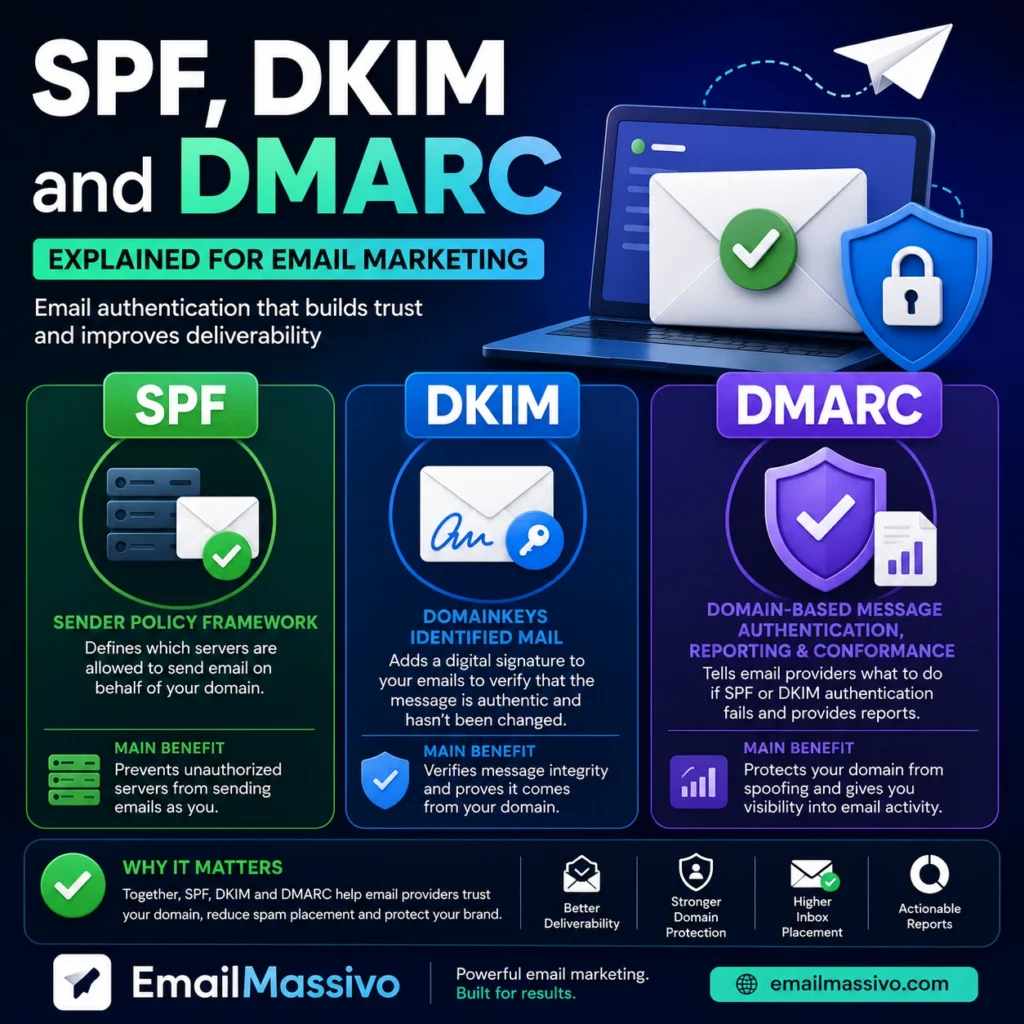
SPF, DKIM and DMARC are three email authentication mechanisms that help mailbox providers verify whether an email is really allowed to come from the domain it claims to use.
For email marketing, they matter because mailbox providers need to decide whether they can trust your sender identity. If your domain is not properly authenticated, your campaigns may be treated as suspicious, rejected, or placed in the spam folder.
SPF, DKIM and DMARC do not guarantee inbox placement by themselves. Deliverability also depends on sender reputation, list quality, engagement, bounce rates, complaints and content. However, authentication is one of the first technical foundations every sender should get right before sending campaigns at scale.
Quick answer
SPF, DKIM and DMARC are email authentication methods. SPF defines which servers are allowed to send email for your domain. DKIM adds a digital signature to prove that the message was not changed during delivery. DMARC tells mailbox providers what to do when SPF or DKIM checks fail.
Together, they help protect your domain, reduce spoofing risk and support better email deliverability.
SPF, DKIM and DMARC at a glance
| Mechanism | What it does | Main purpose |
|---|---|---|
| SPF | Defines which servers can send email for a domain. | Sender authorization |
| DKIM | Adds a digital signature to outgoing emails. | Message integrity |
| DMARC | Defines a policy for emails that fail authentication. | Domain protection and reporting |
These records are usually added in the DNS settings of your domain.
What is SPF?
SPF stands for Sender Policy Framework.
It tells receiving mail servers which servers are authorized to send emails on behalf of your domain.
For example, if you send campaigns through an email marketing platform, your SPF record can include that platform’s sending infrastructure. This helps mailbox providers understand that the platform is allowed to send messages for your domain.
Why SPF matters
Without SPF, a mailbox provider may not be able to confirm whether a server is authorized to send mail for your domain.
This does not always mean the message will be blocked, but it can reduce trust. In email marketing, lower trust can increase the risk of spam placement.
Common SPF mistakes
Common SPF problems include:
- no SPF record at all;
- more than one SPF record for the same domain;
- missing sending platform in the SPF record;
- using the wrong DNS zone;
- syntax errors;
- forgetting to update SPF after changing email platforms.
A domain should normally have only one SPF record. If multiple services need to send email for the same domain, they should be included inside one valid SPF record.
What is DKIM?
DKIM stands for DomainKeys Identified Mail.
DKIM adds a digital signature to an outgoing email. This signature helps receiving servers verify that the message was not changed after it was sent and that it is connected to the sending domain.
In simple terms, SPF checks whether the sending server is allowed. DKIM checks whether the message has a valid signature.
Why DKIM matters
DKIM helps build technical trust between your domain and mailbox providers.
For marketing emails, DKIM is especially important because campaigns often pass through external sending platforms. A valid DKIM signature helps prove that the message is authorized and has not been modified in transit.
Common DKIM mistakes
Common DKIM issues include:
- DKIM not enabled in the sending platform;
- DKIM record missing from DNS;
- wrong selector;
- copied record with missing characters;
- DNS propagation not completed;
- sending from a domain or subdomain that has not been verified.
If DKIM is not verified, your messages may still be sent, but mailbox providers may trust them less.
What is DMARC?
DMARC stands for Domain-based Message Authentication, Reporting and Conformance.
DMARC works on top of SPF and DKIM. It tells mailbox providers what to do when an email claiming to come from your domain fails authentication checks.
A DMARC policy can be set to monitor, quarantine or reject failing messages.
DMARC policies
There are three common DMARC policy levels:
| Policy | Meaning |
|---|---|
| none | Monitor authentication results without telling providers to block messages. |
| quarantine | Ask providers to treat failing messages as suspicious, often placing them in spam. |
| reject | Ask providers to reject messages that fail DMARC checks. |
Many domains start with a monitoring policy before moving to stricter policies. This helps identify legitimate sending sources before blocking anything important.
Why DMARC matters
DMARC helps protect your domain from spoofing and unauthorized use.
For email marketing, it also helps create a clearer relationship between your domain, your sending platform and mailbox providers.
If you send campaigns from your own domain, DMARC gives providers a policy for handling messages that fail authentication.
How SPF, DKIM and DMARC work together
SPF, DKIM and DMARC are strongest when they work together.
SPF checks whether the sending server is authorized. DKIM checks whether the email has a valid signature. DMARC checks whether the message aligns with your domain and tells the receiving server what to do if authentication fails.
A simple way to understand the difference:
- SPF answers: “Is this server allowed to send for this domain?”
- DKIM answers: “Was this message signed by the domain and unchanged?”
- DMARC answers: “What should happen if authentication fails?”
For email marketing, all three help mailbox providers evaluate whether your campaign is legitimate.
Why authentication matters for email deliverability
Email deliverability is the ability of your messages to reach the inbox instead of being blocked, rejected or sent to spam.
Authentication matters because mailbox providers need to identify the real sender. If your domain is not authenticated, your messages may look less trustworthy.
SPF, DKIM and DMARC help with:
- proving that your sending platform is authorized;
- protecting your domain from spoofing;
- reducing technical suspicion;
- supporting sender reputation;
- improving trust between your domain and mailbox providers.
Authentication is not the whole deliverability strategy, but it is one of the first things to fix.
Do SPF, DKIM and DMARC prevent emails from going to spam?
SPF, DKIM and DMARC help reduce the risk of spam placement, but they do not guarantee that every email will reach the inbox.
Emails can still go to spam because of:
- poor sender reputation;
- high bounce rates;
- spam complaints;
- low engagement;
- poor list quality;
- suspicious content;
- sudden sending volume increases.
Authentication proves that your domain setup is more trustworthy. It does not prove that recipients want your emails.
That is why email marketing deliverability depends on both technical setup and sending behavior.
How this applies to email marketing platforms
When you send campaigns through an email marketing platform such as EmailMassivo, domain authentication helps mailbox providers understand that the platform is allowed to send messages on behalf of your domain.
This is important because marketing emails are often sent through specialized infrastructure rather than directly from your normal business inbox.
Before sending bulk email campaigns, your sending domain should be authenticated. This usually means adding the required DNS records for SPF, DKIM and DMARC, then checking that they are valid before increasing campaign volume.
A platform can help organize campaigns, contacts and reporting, but the sender’s domain still needs to be configured correctly.
Common setup mistakes
1. Adding records to the wrong DNS zone
DNS records must be added to the correct domain or subdomain. If you send from mail.example.com, the required records may not be the same as for example.com.
2. Creating multiple SPF records
A domain should not have multiple separate SPF records. If more than one service sends email for the domain, they should be combined into one valid SPF record.
3. Forgetting DKIM verification
Adding a DKIM record is not always enough. You should also verify that the sending platform recognizes the record and signs outgoing messages correctly.
4. Setting a strict DMARC policy too early
A strict DMARC policy can be useful, but applying it too soon may block legitimate messages if all sending sources are not configured properly.
5. Changing platforms without updating DNS
If you move to a new sending platform, your authentication records may need to be updated. Old records may no longer authorize the correct infrastructure.
What to check before sending campaigns
Before launching an email marketing campaign, check these points:
- SPF is present and valid.
- DKIM is enabled and verified.
- DMARC exists for the sending domain.
- The sending platform is authorized.
- The correct domain or subdomain is configured.
- There are no duplicate SPF records.
- DNS records have had time to propagate.
- The sender address matches the authenticated domain.
- Your list is permission-based.
- Sending volume is increased gradually.
Authentication should be checked before scaling a campaign, not after deliverability problems appear.
How to explain SPF, DKIM and DMARC to a non-technical team
If your marketing team does not work with DNS, the simplest explanation is this:
SPF, DKIM and DMARC are domain trust settings. They help email providers confirm that your marketing platform is allowed to send messages for your domain and that the message has not been forged.
They are usually configured once, but they should be reviewed when you change domains, subdomains, email platforms or sending infrastructure.
FAQ
They are strongly recommended for professional email marketing. Without authentication, mailbox providers may trust your messages less, which can hurt deliverability.
No. SPF is only one part of authentication. DKIM and DMARC add additional trust, protection and policy control.
A domain should normally have only one SPF record. If several services send email for the domain, they should be included in one valid SPF record.
DKIM supports deliverability by helping mailbox providers verify that the message was signed by the domain and was not changed during delivery. It is not a guarantee of inbox placement, but it is an important trust signal.
Many senders start with a monitoring policy before moving to stricter policies. This helps identify legitimate sending sources and avoid accidentally blocking valid messages.
No. Authentication does not stop recipients from marking emails as spam. Complaints are usually related to consent, relevance, frequency, content or sender recognition.
Yes. If the platform sends emails on behalf of your domain, authentication helps prove that the platform is authorized to do so.
They are configured in your domain’s DNS settings. The exact records depend on your domain, sending platform and email setup.
Key takeaways
SPF authorizes sending servers. DKIM signs the message. DMARC defines what should happen when authentication fails.
For email marketing, these records help mailbox providers trust your sender identity and reduce the risk of technical deliverability problems.
They do not guarantee inbox placement, but without them, your campaigns start with a weaker trust profile.
A healthy sending setup combines authentication, clean contact lists, relevant content, consistent sending behavior and careful campaign monitoring.