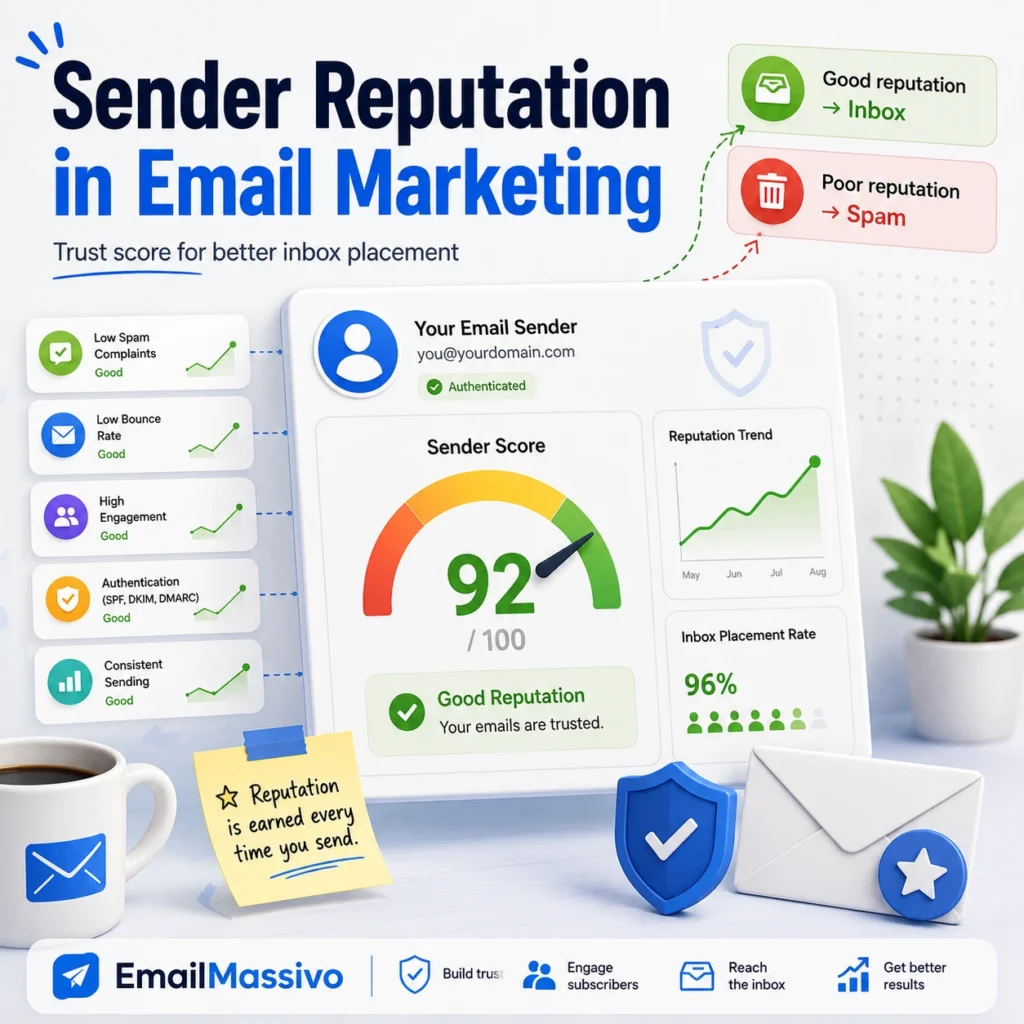
Sender reputation is the level of trust that mailbox providers associate with your email sending identity. It can apply to your domain, your sending IP address, or both.
In email marketing, sender reputation affects whether your campaigns are accepted, filtered, placed in the inbox, or sent to spam. A strong reputation helps mailbox providers trust your messages. A weak reputation can cause legitimate campaigns to be filtered, delayed, rejected, or delivered to the spam folder.
Sender reputation is not based on one single factor. It is built over time from technical setup, list quality, recipient engagement, bounce rates, spam complaints, sending volume, authentication, and content quality.
Quick answer
Sender reputation is a trust score or trust profile that mailbox providers build around your sending domain and IP address. It is influenced by how you send emails and how recipients react to them.
To maintain a strong sender reputation, authenticate your domain with SPF, DKIM, and DMARC, send only to permission-based contacts, keep bounce rates low, reduce spam complaints, avoid sudden volume spikes, and monitor engagement after every campaign.
What is sender reputation?
Sender reputation is the perceived reliability of an email sender.
Mailbox providers use reputation signals to decide whether messages from a sender should reach the inbox, go to spam, be delayed, or be rejected.
A sender with a healthy reputation usually has:
- authenticated sending domains;
- clean contact lists;
- low bounce rates;
- low spam complaint rates;
- consistent sending behavior;
- positive recipient engagement;
- recognizable sender identity;
- relevant content.
A sender with a poor reputation may have frequent spam complaints, invalid addresses, low engagement, inconsistent sending volume, weak authentication, or a history of unwanted messages.
Domain reputation vs. IP reputation
Sender reputation can be associated with both the domain and the IP address used to send email.
| Type | What it means | Why it matters |
|---|---|---|
| Domain reputation | Trust associated with the domain used in your emails. | Important because mailbox providers evaluate the sender’s brand and domain identity. |
| IP reputation | Trust associated with the IP address used to send messages. | Important because providers evaluate the infrastructure sending the mail. |
| Sender reputation | The broader trust profile created by domain, IP, behavior, and recipient reactions. | Important because it affects filtering and inbox placement. |
For email marketing, domain reputation is especially important because brands often use email platforms or shared infrastructure while still sending from their own domain.
If you change platforms but keep sending poor campaigns to weak lists, the reputation problem may continue because the sending behavior and domain identity remain part of the trust profile.
Why sender reputation matters for deliverability
Sender reputation is one of the main factors behind email deliverability.
Email deliverability is the ability of your emails to reach the inbox instead of being blocked, rejected, or sent to spam. Sender reputation helps mailbox providers decide how much they can trust your future messages.
A weak reputation can affect deliverability even when:
- the email design looks professional;
- the campaign content is legitimate;
- the domain is authenticated;
- the message is technically delivered.
Authentication proves that your domain is allowed to send. Reputation reflects whether your sending behavior is trustworthy.
For a broader overview, see the guide on what email deliverability means.
Sender reputation factors at a glance
| Factor | Reputation signal | Possible effect |
|---|---|---|
| Spam complaints | Recipients mark messages as spam. | Strong negative signal. |
| Bounce rate | Many messages fail delivery. | Suggests poor list quality. |
| List quality | Contacts are invalid, inactive, or not permission-based. | Weakens trust and engagement. |
| Engagement | Recipients open, click, reply, or ignore messages. | Positive or negative relevance signal. |
| Sending volume | Sending increases suddenly or behaves inconsistently. | Can trigger filtering or rate limits. |
| Authentication | SPF, DKIM, and DMARC are missing or incorrect. | Reduces technical trust. |
| Content quality | Subject lines, links, and formatting look suspicious. | Can increase spam placement. |
| Unsubscribe experience | Users cannot easily opt out. | Can increase complaints. |
1. Spam complaints
Spam complaints are one of the strongest negative signals for sender reputation.
A complaint happens when a recipient marks your message as spam or junk. This tells the mailbox provider that the recipient does not want your email.
Complaints usually happen when recipients:
- do not recognize the sender;
- did not give permission;
- receive too many emails;
- cannot easily unsubscribe;
- feel misled by the subject line;
- receive content that does not match their expectations.
Even a small complaint rate can matter, especially for senders with low volume or already weak reputation.
How to reduce complaints
Send only to people who expect your emails. Use a recognizable sender name and domain. Make the unsubscribe option visible and simple. Avoid misleading subject lines and send content that matches the reason the subscriber joined your list.
2. Bounce rate
Bounce rate affects sender reputation because it reflects list quality.
A hard bounce is a permanent failure, usually caused by an invalid or non-existent address. A soft bounce is temporary, such as a full inbox or a temporary server issue.
High bounce rates can suggest that your list is old, poorly collected, or not maintained.
How to reduce bounces
Remove hard bounces after they occur. Review repeated soft bounces. Clean old lists before sending large campaigns. Avoid purchased, scraped, or unverified contact lists.
A clean list is one of the most practical ways to protect sender reputation.
3. List quality
List quality is a foundation of sender reputation.
A strong email list is based on permission. The recipients recognize your brand, expect your emails, and have a reason to engage.
A weak list may include:
- invalid addresses;
- old contacts;
- inactive subscribers;
- purchased contacts;
- scraped addresses;
- users who never clearly opted in.
Poor list quality can lead to more bounces, more complaints, lower engagement, and weaker reputation.
How to improve list quality
Use opt-in forms, clear subscription language, and clean data collection practices. Segment inactive contacts. Remove invalid addresses. Avoid sending regular campaigns to contacts who have not engaged for a long time.
4. Recipient engagement
Engagement shows whether recipients find your messages useful or wanted.
Mailbox providers may consider whether users open, click, reply, move messages, delete without opening, or mark messages as spam.
Low engagement can weaken reputation over time because it suggests that recipients may not value the messages.
How to improve engagement
Segment your audience. Send content that matches subscriber interests. Use clear subject lines. Adjust frequency based on engagement. Send more carefully to inactive contacts.
Relevant emails usually create stronger engagement than broad campaigns sent to everyone.
5. Sending volume and consistency
Mailbox providers look at sending patterns.
A sudden increase in volume can look suspicious, especially for a new domain, a cold domain, or a sender that has been inactive for a long time.
Consistent sending behavior helps providers understand your normal pattern. Sudden spikes can create risk even if the messages are legitimate.
How to manage volume
Increase sending gradually. Start with your most engaged contacts. Monitor complaints, bounces, opens, clicks, and unsubscribes before expanding to larger segments.
If metrics worsen, slow down and fix the cause before increasing volume.
6. Authentication
Authentication helps mailbox providers verify that your emails are really authorized to come from your domain.
The main authentication methods are SPF, DKIM, and DMARC.
SPF defines which servers can send email for your domain. DKIM adds a digital signature to outgoing messages. DMARC defines how providers should handle messages that fail authentication checks.
Authentication does not create a good reputation by itself, but missing or incorrect authentication can weaken trust.
For more detail, see the guide to SPF, DKIM, and DMARC.
7. Content quality
Content can affect reputation when it causes negative recipient behavior.
Spam-like subject lines, suspicious links, image-only messages, confusing sender identity, or misleading claims can increase filtering risk and complaints.
Content quality is not only about avoiding certain words. It is about making the message clear, relevant, honest, and expected.
How to improve content quality
Use subject lines that match the message. Avoid fake urgency. Use trusted links. Make the sender identity clear. Balance text and images. Include an easy unsubscribe option.
Good content helps recipients understand why they received the email and what value it provides.
How to check sender reputation
Sender reputation is not always visible as one universal number. Different mailbox providers use their own systems and signals.
However, you can monitor reputation through several indicators:
- domain reputation tools;
- postmaster tools;
- bounce trends;
- spam complaint trends;
- delivery errors;
- open and click trends;
- engagement by mailbox provider;
- inbox placement tests;
- authentication status.
For Gmail traffic, Google Postmaster Tools can provide information about spam rate, reputation, authentication, delivery errors, and related diagnostics for qualified senders.
Reputation should be monitored over time. One campaign rarely tells the full story.
How to improve sender reputation
Improving sender reputation usually means changing sending behavior, not only fixing one setting.
Start with these steps:
- Authenticate the sending domain with SPF, DKIM, and DMARC.
- Send only to permission-based contacts.
- Remove hard bounces.
- Segment inactive subscribers.
- Reduce spam complaints.
- Keep sending volume consistent.
- Use a recognizable sender identity.
- Send relevant content.
- Make unsubscribe easy.
- Review metrics after every campaign.
Reputation improvement takes time because mailbox providers need to observe better behavior consistently.
For a broader practical checklist, see how to improve email deliverability.
Common mistakes that damage sender reputation
The most common reputation problems are usually avoidable.
Common mistakes include:
- sending to purchased lists;
- ignoring hard bounces;
- hiding the unsubscribe link;
- using misleading subject lines;
- sending too often to inactive contacts;
- changing sending domains too often;
- increasing volume too quickly;
- sending without SPF, DKIM, or DMARC;
- using unclear sender names;
- continuing campaigns after complaint rates rise.
If emails are already going to spam, the issue may be related to sender reputation. For more context, see the guide on why emails go to spam.
How EmailMassivo fits into the process
An email marketing platform helps organize campaigns, manage contacts, send messages, and monitor results.
A platform such as EmailMassivo can support the campaign workflow, but sender reputation also depends on the sender’s domain setup, list quality, recipient engagement, complaint rates, bounce management, and sending behavior.
The platform is one part of the reputation system. The sender still needs clean contacts, relevant campaigns, authenticated domains, and consistent monitoring.
Sender reputation checklist
Before sending a campaign, check the following:
- Is the sending domain authenticated?
- Is the sender name recognizable?
- Is the list based on permission?
- Were hard bounces removed?
- Are inactive contacts segmented?
- Is the sending volume reasonable?
- Is the subject line accurate?
- Is the unsubscribe link easy to find?
- Are spam complaints being monitored?
- Are campaign metrics reviewed after sending?
If several answers are negative, sender reputation risk is higher.
FAQ
Sender reputation is the level of trust mailbox providers associate with your email sending domain, IP address, and sending behavior.
Not exactly. Domain reputation is trust associated with your domain. IP reputation is trust associated with the sending IP address. Sender reputation is the broader trust profile that can include both.
Spam complaints, high bounce rates, poor list quality, low engagement, sudden volume spikes, weak authentication, and misleading content can all damage sender reputation.
SPF, DKIM, and DMARC support trust by authenticating your domain, but they do not create a good reputation by themselves. Reputation also depends on complaints, bounces, engagement, list quality, and sending behavior.
Yes, but recovery usually takes time. Senders need to reduce complaints and bounces, improve list quality, send to engaged contacts, authenticate the domain, and maintain consistent sending behavior.
Changing platforms may help if there were technical infrastructure problems, but it will not automatically fix poor list quality, spam complaints, low engagement, or bad sending practices.
Sender reputation should be reviewed regularly, especially after large campaigns, list imports, volume changes, or sudden drops in engagement.
Authentication confirms that the sender is authorized, but mailbox providers also evaluate reputation, complaints, bounces, engagement, content, and sending patterns. A technically authenticated sender can still have poor reputation.
Key takeaways
Sender reputation is the trust profile mailbox providers build around your domain, IP address, and sending behavior.
It affects whether your email marketing campaigns reach the inbox, land in spam, get delayed, or are rejected.
The strongest reputation signals include low spam complaints, low bounce rates, clean lists, positive engagement, consistent sending volume, proper authentication, and relevant content.
Sender reputation is built over time. To protect it, send wanted emails to permission-based contacts, monitor campaign metrics, and fix problems before increasing volume.