Launching cold email campaigns from a brand-new domain without preparation is one of the fastest ways to damage your sender reputation. Mailbox providers such as Gmail, Outlook, and Yahoo expect new domains to establish a history of legitimate email activity before sending large volumes of outreach emails.
This guide explains what email warm-up is, why it matters, and how you can safely prepare a new domain for large-scale cold outreach.
What Is Email Warm-Up?
Email warm-up is the gradual process of building trust with mailbox providers by slowly increasing your email sending volume over time.
Instead of sending hundreds or thousands of emails on the first day, you start with a small number of messages and increase the volume gradually while maintaining positive engagement signals.
The objective is to demonstrate that:
- your domain is legitimate;
- recipients interact with your emails;
- your infrastructure is properly configured;
- your sending behavior looks natural.
Without this trust-building period, even perfectly written emails may end up in the spam folder.
Why New Domains Have No Reputation
Every new domain starts with a neutral reputation.
Mailbox providers know almost nothing about:
- your domain;
- your IP addresses;
- your sending behavior;
- recipient engagement.
Until enough positive signals have been collected, providers treat new senders cautiously.
Sending thousands of emails immediately often triggers automated spam protection systems.
What Happens If You Skip Warm-Up?
Many companies assume that simply configuring SPF, DKIM, and DMARC is enough.
Unfortunately, authentication alone does not create trust.
Common consequences include:
- emails landing in Spam;
- temporary rate limiting;
- Gmail “421” or “550” errors;
- Microsoft throttling;
- reduced inbox placement;
- damaged sender reputation that may take weeks to recover.
Before You Start Warm-Up
Your email infrastructure should already be configured correctly.
Complete this checklist first:
- SPF configured
- DKIM enabled
- DMARC policy published
- Reverse DNS configured (when applicable)
- Custom tracking domain configured
- Professional mailbox signatures
- Real company website
- Privacy Policy page
- Contact information available
Authentication tells mailbox providers who you are.
Warm-up proves you are a trustworthy sender.
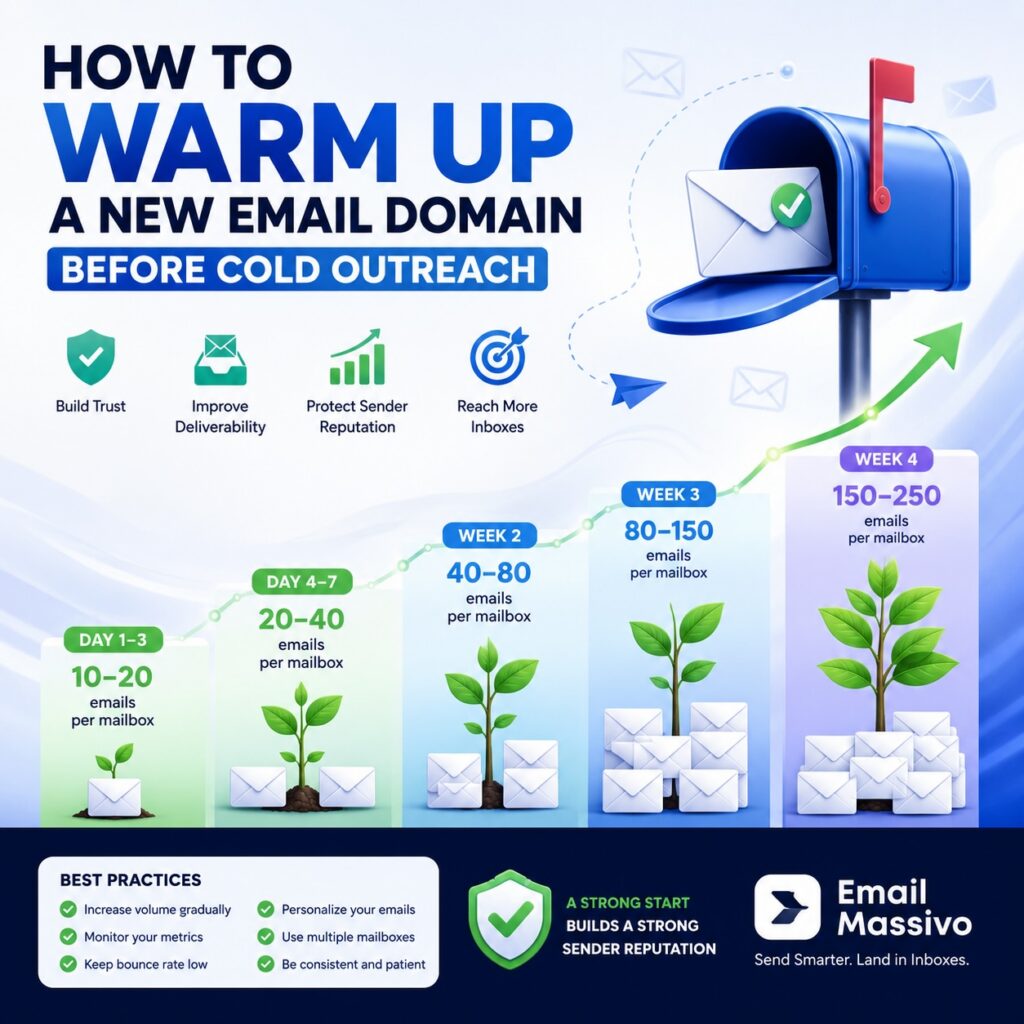
Recommended Warm-Up Schedule
There is no universal schedule, but gradual growth is critical.
| Day | Emails per mailbox |
|---|---|
| 1–3 | 10–20 |
| 4–7 | 20–40 |
| Week 2 | 40–80 |
| Week 3 | 80–150 |
| Week 4 | 150–250 |
Increase volume only if:
- bounce rates remain low;
- spam complaints are near zero;
- inbox placement remains stable.
Warm Up Multiple Mailboxes Instead of One
Instead of sending 500 emails from one mailbox, distribute the workload.
For example:
- 5 mailboxes × 100 emails
- 10 mailboxes × 50 emails
- 20 mailboxes × 25 emails
This approach creates a much more natural sending pattern and significantly reduces the risk of provider throttling.
Keep Sending Behavior Natural
Mailbox providers analyze much more than daily volume.
They also evaluate:
- sending frequency;
- recipient diversity;
- reply rates;
- bounce rates;
- complaint rates;
- message consistency;
- historical reputation.
Avoid sending all emails at exactly the same time every day.
Human behavior is naturally irregular.
Monitor Key Metrics
Warm-up should always be data-driven.
Track metrics such as:
- Inbox placement
- Bounce rate
- Reply rate
- Open rate (where available)
- Spam complaints
- SMTP errors
- Daily sending volume
If inbox placement begins to decline, pause volume increases until performance stabilizes.
Common Warm-Up Mistakes
Increasing volume too quickly
Jumping from 20 emails to 500 emails overnight is one of the most common causes of spam filtering.
Using purchased email lists
Poor-quality recipient lists generate high bounce rates and spam complaints, damaging reputation from the start.
Ignoring authentication
Even a perfectly planned warm-up cannot compensate for missing SPF, DKIM, or DMARC records.
Sending identical emails
Large numbers of identical messages create spam-like patterns.
Personalization helps produce healthier engagement signals.
Scaling before reputation is established
Many businesses begin large campaigns after only a few days of warm-up.
Building a strong sender reputation typically takes several weeks.
How Email Massivo Helps
Managing domain warm-up manually becomes increasingly difficult as your infrastructure grows.
Email Massivo simplifies the process by helping you:
- distribute email volume across multiple mailboxes;
- manage multiple sending accounts from one dashboard;
- schedule campaigns with controlled sending speed;
- personalize emails at scale;
- avoid sudden volume spikes;
- monitor campaign performance;
- maintain consistent sending behavior across your infrastructure.
Rather than relying on a single mailbox, you can safely spread campaigns across multiple accounts and domains, making growth more controlled and sustainable.
Best Practices
To maximize inbox placement:
- Start with low daily volumes.
- Increase sending gradually.
- Monitor reputation continuously.
- Keep bounce rates as low as possible.
- Personalize every campaign.
- Maintain properly configured authentication.
- Use multiple mailboxes instead of pushing a single account to its limits.
- Scale only when your reputation remains healthy.
Conclusion
A successful cold outreach campaign starts long before the first large email blast.
Building sender reputation through proper domain warm-up significantly improves inbox placement, reduces the risk of spam filtering, and creates a stable foundation for future campaigns.
With the right sending strategy and proper infrastructure management, businesses can safely scale outreach while maintaining a strong sender reputation over the long term.
Suggested internal links
- What Is Email Deliverability? Definition, Key Factors and How It Works
- What Is Sender Reputation in Email Marketing?
- SPF, DKIM and DMARC Explained for Email Marketing
- Why Are My Emails Going to Spam? Common Causes and How to Fix Them