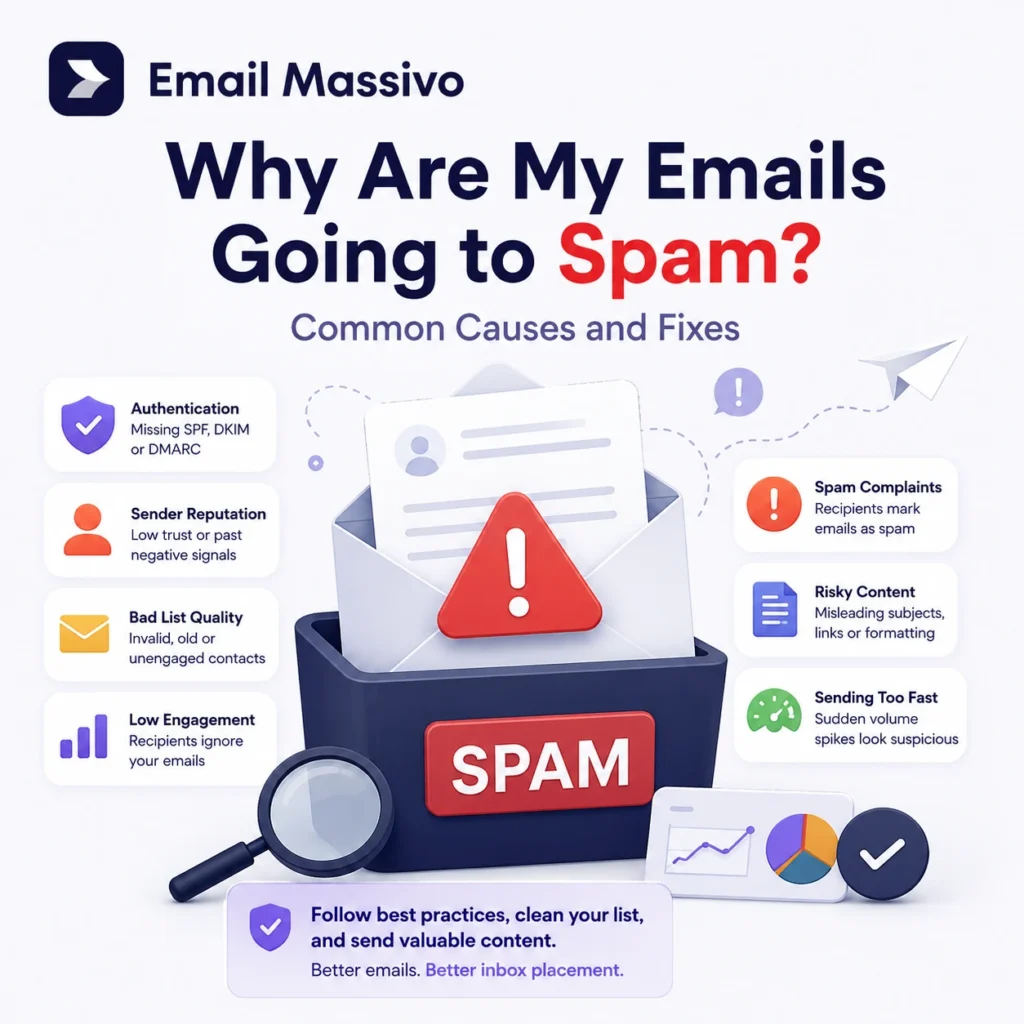
Emails usually go to spam when mailbox providers do not fully trust the sender, the sending domain, the email infrastructure, the recipient list, or the message itself. In most cases, spam placement is not caused by one isolated mistake. It is usually the result of several signals working together: missing authentication, weak sender reputation, poor list quality, low engagement, high bounce rates, spam complaints, suspicious content, or sudden sending volume changes.
For businesses that send newsletters, promotional campaigns, product updates, or bulk email campaigns, this problem is critical. Sending an email is not the same as reaching the inbox. Good email marketing depends on deliverability: the ability to send wanted, authenticated, and trusted messages to real recipients.
At EmailMassivo, we see deliverability as a complete sending system. It includes your domain setup, your contact list, your campaign content, your sending behaviour, and your post-send metrics. If one part of that system is weak, your emails may be more likely to land in spam.
Quick answer
Your emails may be going to spam because mailbox providers do not trust your sending identity or do not see enough positive engagement from recipients. The most common causes are missing SPF, DKIM, or DMARC authentication, poor sender reputation, invalid or inactive contacts, high bounce rates, low engagement, spam complaints, suspicious content, or sudden increases in sending volume.
To reduce the risk of spam placement, authenticate your domain, send only to permission-based contacts, clean your email list, avoid sudden volume spikes, use clear and relevant content, make unsubscribing easy, and monitor campaign metrics after every send.
One-sentence answer
Emails go to spam when mailbox providers see a trust problem with your domain, infrastructure, list quality, content, sending behaviour, or recipient engagement.
The main reason emails go to spam
The main reason emails go to spam is lack of trust. Mailbox providers need to trust that your email really comes from your domain, that your recipients want to receive it, and that previous messages from you were accepted positively by users.
That trust is built through several signals:
- your domain authentication;
- your sender reputation;
- your list quality;
- your bounce and complaint rates;
- your sending consistency;
- your content quality;
- your recipient engagement.
A technically sent email can still go to spam if the overall trust profile is weak.
Email spam causes and fixes
| Cause | What it means | How to fix it |
|---|---|---|
| Missing authentication | Your domain is not fully verified with SPF, DKIM, or DMARC. | Configure authentication records in your DNS. |
| Poor sender reputation | Mailbox providers do not fully trust your domain or IP address. | Send gradually, reduce complaints, and improve engagement. |
| Bad list quality | Your list contains invalid, inactive, old, or non-permission contacts. | Clean your list and send only to opted-in recipients. |
| High bounce rate | Too many addresses on your list cannot receive your emails. | Remove hard bounces and validate old lists before sending. |
| Low engagement | Recipients ignore, delete, or do not interact with your emails. | Segment your audience and send more relevant campaigns. |
| Spam complaints | Recipients mark your emails as spam or junk. | Use clear consent, recognizable branding, and easy unsubscribe. |
| Suspicious content | Your email looks misleading, aggressive, or unsafe. | Use accurate subject lines, trusted links, and balanced formatting. |
| Sudden volume increase | You send too many emails too quickly from a cold or unproven domain. | Warm up sending gradually and start with engaged contacts. |
What to check first when emails go to spam
If your emails are going to spam, check these areas first: domain authentication, sender reputation, bounce rate, spam complaint rate, list quality, engagement, content quality, unsubscribe visibility, and recent sending volume.
Start with the technical layer: SPF, DKIM, and DMARC. Then review your list quality and campaign metrics. If authentication is correct but emails still go to spam, the problem is usually related to reputation, engagement, complaints, or poor list hygiene.
1. Your domain is not properly authenticated
Email authentication helps mailbox providers verify that your messages really come from your domain. Without proper authentication, your emails may look suspicious even if your business is legitimate.
The three core authentication mechanisms are SPF, DKIM, and DMARC.
SPF tells receiving servers which mail servers are allowed to send email for your domain. DKIM adds a digital signature to your email, helping prove that the message was not changed after it was sent. DMARC tells mailbox providers how to handle messages that fail authentication checks.
If SPF, DKIM, or DMARC records are missing, incomplete, duplicated, or incorrectly configured, mailbox providers may treat your campaigns as less trustworthy.
How to fix it
Check that your sending domain has valid SPF, DKIM, and DMARC records. Make sure the records are added to the correct DNS zone and match the email platform or sending infrastructure you use.
If you send campaigns from a dedicated sending domain or subdomain, authenticate that domain separately. For example, if your main website is example.com but you send campaigns from mail.example.com or news.example.com, the sending subdomain must also be configured correctly.
For a bulk email platform such as EmailMassivo, domain authentication is one of the first setup steps because it directly affects whether mailbox providers can trust your sender identity.
2. Your sender reputation is weak or damaged
Sender reputation is the trust profile associated with your sending domain, your sending IP address, or both. Mailbox providers build this reputation over time based on your sending behaviour and how recipients react to your emails.
A strong sender reputation usually comes from consistent sending, low bounce rates, low spam complaints, clean lists, and positive engagement. A weak reputation can come from sending to old lists, purchased contacts, unengaged recipients, or people who do not recognize your brand.
Even if your SPF, DKIM, and DMARC records are correct, your emails can still go to spam if your sender reputation is poor.
How to fix it
Send only to contacts who gave permission to receive your emails. Remove invalid addresses. Avoid sending large campaigns from a new or inactive domain. Watch your bounce rate, complaint rate, unsubscribe rate, open rate, and click rate after every campaign.
If your domain is new to email marketing, start with smaller sends to your most engaged contacts. Increase volume gradually only when the metrics are healthy.
3. Your email list contains invalid or inactive contacts
List quality is one of the strongest deliverability signals. If your list contains invalid addresses, abandoned inboxes, role-based addresses, old imports, or contacts who never agreed to receive marketing emails, your campaigns are more likely to perform badly.
A poor list can create several problems at the same time:
- more hard bounces;
- lower open rates;
- lower click rates;
- more spam complaints;
- more unsubscribes;
- weaker sender reputation.
A large list is not automatically a valuable list. For deliverability, a smaller list of engaged and permission-based contacts is usually better than a large list full of inactive or unverified addresses.
How to fix it
Use permission-based contacts. Remove hard bounces immediately. Segment inactive subscribers. Run reactivation campaigns before continuing to send regular promotions to old contacts.
Avoid purchased, scraped, or rented email lists. These lists often contain people who do not know your brand and did not ask to receive your campaigns. That increases the risk of complaints and poor engagement.
4. Your bounce rate is too high
A bounce happens when an email cannot be delivered to the recipient. A hard bounce usually means the address is invalid, does not exist, or cannot receive email permanently. A soft bounce usually means a temporary issue, such as a full inbox or a temporary server problem.
A high bounce rate tells mailbox providers that your list may be outdated, unverified, or collected poorly. This can damage your sender reputation and make future campaigns more likely to go to spam.
How to fix it
Remove hard bounces from your list. Do not keep sending to addresses that repeatedly fail. If you are importing an old list, clean it before sending a full campaign. If a list has not been used for months or years, do not treat it as fresh.
In a professional email marketing workflow, bounce management is not optional. It is part of maintaining a healthy sending reputation.
5. Recipients are not engaging with your emails
Mailbox providers evaluate how recipients interact with your emails. Opens, clicks, replies, reading time, moving emails to folders, and continued engagement can be positive signals. Ignoring, deleting, or marking emails as spam can be negative signals.
Low engagement can become a deliverability problem over time. If many recipients consistently ignore your campaigns, mailbox providers may conclude that your emails are not wanted.
How to fix it
Segment your audience instead of sending every campaign to every contact. Send different messages based on interest, behaviour, purchase history, location, language, or customer lifecycle stage.
Use subject lines that clearly describe the email content. Do not mislead recipients just to increase opens. A misleading subject line may create short-term curiosity, but it can also increase unsubscribes and complaints.
Send campaigns when you have something useful, relevant, or timely to say. Sending more emails does not automatically create better results.
6. Your content looks suspicious to spam filters
Spam filters analyze the content of your email. They look at subject lines, formatting, links, images, attachments, sender identity, and the relationship between the message and the recipient.
Content alone is rarely the only reason a trusted sender goes to spam, but risky content can make existing deliverability problems worse.
Common content problems include:
- misleading subject lines;
- excessive capitalization;
- too many exclamation marks;
- aggressive promotional claims;
- link shorteners;
- suspicious or mismatched URLs;
- image-only emails;
- large attachments;
- unclear sender identity;
- hidden unsubscribe links;
- content that does not match what recipients expected.
How to fix it
Write emails that look like legitimate business communication. Use a recognizable sender name. Make the subject line accurate. Use trusted links that point to your own domain or reputable destinations. Balance text and images. Avoid hiding the purpose of the message.
A trustworthy marketing email should make it clear who is sending it, why the recipient is receiving it, what the offer or message is, and how the recipient can opt out.
7. You send too many emails too quickly
Sudden sending spikes can trigger spam filtering, especially if your domain has little sending history or has been inactive for a long time.
For example, if a domain usually sends a few emails per week and suddenly sends thousands of marketing messages, mailbox providers may treat that change as risky. The same applies when a business imports a large list into a new email platform and sends a full campaign immediately.
How to fix it
Increase sending volume gradually. Start with your most engaged contacts. Monitor bounces, complaints, unsubscribes, opens, and clicks before expanding to a larger segment.
If your early campaigns show weak engagement or high complaints, do not increase volume. Fix the underlying problem first.
For bulk email campaigns, controlled sending is safer than sudden mass sending from a cold domain.
8. Your emails receive spam complaints
A spam complaint happens when a recipient marks your email as spam or junk. This is one of the strongest negative signals in email deliverability.
Complaints usually happen when recipients do not recognize the sender, did not subscribe, receive emails too often, cannot easily unsubscribe, or feel misled by the subject line or content.
Even a small number of complaints can harm deliverability if your sending volume is low or your reputation is already weak.
How to fix it
Send only to people who expect your emails. Use a recognizable sender name and domain. Make the unsubscribe link easy to find. Do not make people log in or complete complicated steps to stop receiving marketing emails.
It is better to lose an uninterested subscriber through unsubscribe than to keep them on the list until they mark your email as spam.
9. Your unsubscribe process is unclear
A clear unsubscribe process helps protect sender reputation. If people cannot easily opt out, they may use the spam button instead. That is worse for deliverability than a normal unsubscribe.
Some senders try to hide the unsubscribe link because they want to keep more subscribers. In practice, this can damage future inbox placement.
How to fix it
Add a visible unsubscribe link to marketing emails. Make the process simple. Respect opt-out requests. Do not continue sending promotional campaigns to people who have unsubscribed.
A smaller engaged list is more valuable than a larger list full of people who no longer want your emails.
10. Your sending identity is inconsistent
Mailbox providers and recipients both look for consistency. If your sender name, domain, reply-to address, branding, links, or email style changes too often, your messages may look less trustworthy.
Inconsistent sending identity can also confuse recipients. If people do not recognize who is emailing them, they are more likely to ignore the message, unsubscribe, or mark it as spam.
How to fix it
Use a stable sender name and sending domain. Keep branding consistent. Use a reply-to address that matches your business identity. Avoid switching domains or infrastructure without proper authentication and gradual sending.
Consistency helps mailbox providers and recipients understand who is sending the message.
How to diagnose why your emails are going to spam
The best way to diagnose spam placement is to check each layer separately.
- Check domain authentication
Confirm that SPF, DKIM, and DMARC are configured for the domain or subdomain used to send your campaigns.
- Check your list quality
Review how the list was collected. Look for old imports, invalid addresses, inactive contacts, purchased contacts, or recipients who did not give clear permission.
- Check campaign metrics
Review bounce rate, open rate, click rate, unsubscribe rate, and spam complaint rate. These metrics often reveal whether the problem is technical, audience-related, or content-related.
- Check your content
Review the subject line, sender name, links, images, formatting, footer, and unsubscribe link. Make sure the email looks clear, honest, and relevant.
- Check sending volume
Look for sudden increases in sending volume or campaigns sent to cold segments. If volume increased sharply, reduce it and rebuild gradually.
Practical deliverability checklist
Before sending your next campaign, check the following:
- The sending domain is authenticated with SPF, DKIM, and DMARC.
- The sender name is recognizable.
- The sending domain or subdomain is consistent.
- The list is permission-based.
- Hard bounces are removed.
- Inactive contacts are segmented.
- The subject line accurately reflects the email content.
- The email contains useful and relevant content.
- Links point to trusted domains.
- The email is not image-only.
- The unsubscribe link is visible and easy to use.
- Sending volume is consistent or gradually increasing.
- Campaign metrics are reviewed after every send.
If several of these points are weak, your risk of spam placement is higher.
How to stop marketing emails from going to spam
To stop marketing emails from going to spam, focus on the complete sending system rather than one isolated setting.
Start by authenticating your domain with SPF, DKIM, and DMARC. Then clean your list, remove invalid contacts, segment inactive recipients, and send only to people who expect to hear from you. Use clear subject lines, honest content, trusted links, and a visible unsubscribe option. Finally, monitor your campaign metrics and adjust your sending strategy based on bounces, complaints, unsubscribes, opens, and clicks.
Email deliverability improves when mailbox providers see consistent evidence that your messages are legitimate, wanted, and safe.
How EmailMassivo helps with healthier email sending
EmailMassivo is built for businesses that need to send email campaigns at scale while keeping deliverability fundamentals in mind. A reliable bulk email strategy depends on proper domain setup, clean contact management, controlled sending, clear campaign content, and measurable results.
A platform can help organize the process, but no platform can replace good sending practices. The strongest results come when the technology and the sender’s behaviour work together: authenticated domains, permission-based lists, relevant campaigns, and careful metric monitoring.
If your emails are going to spam, the right first step is not to send more. The right first step is to understand why mailbox providers are not fully trusting your messages.
FAQ
SPF and DKIM are important, but they do not guarantee inbox placement. Emails can still go to spam because of poor sender reputation, low engagement, high bounce rates, spam complaints, risky content, sudden volume increases, or poor list quality.
DMARC can help mailbox providers verify and handle messages that claim to come from your domain, but it does not guarantee inbox placement. DMARC is one part of deliverability, alongside reputation, engagement, list quality, content, and sending behaviour.
Yes. A high bounce rate can damage sender reputation because it suggests that your list contains invalid, outdated, or poorly collected addresses. Hard bounces should be removed and old lists should be cleaned before sending.
A clean design helps, but it is not enough by itself. Mailbox providers also evaluate authentication, reputation, engagement, complaints, list quality, links, sender identity, and sending patterns.
For serious email marketing, it is better to send from your own domain. A business domain gives you more control over authentication, sender reputation, branding, and trust.
In many cases, yes. Long-term inactive subscribers can reduce engagement and weaken deliverability. A practical approach is to segment them first, send a reactivation campaign, and then stop regular sending to contacts who still do not engage.
Spam-like wording can matter, but modern spam filtering is not based only on individual words. Context, sender reputation, authentication, recipient engagement, links, formatting, and complaints also matter.
It depends on the cause. Authentication problems can sometimes be fixed quickly. Reputation problems usually take longer because mailbox providers need to see better sending behaviour over time.
Changing platforms may help if the previous setup had technical or infrastructure problems, but it does not automatically fix poor list quality, low engagement, misleading content, or spam complaints. Deliverability depends on both the platform and the sender’s practices.
Start with domain authentication. Check SPF, DKIM, and DMARC first. Then review list quality, bounce rate, complaint rate, engagement, content, and sending volume.
Key takeaways
Emails go to spam when mailbox providers do not fully trust the sender, the domain, the infrastructure, the list, the content, or recipient engagement patterns.
The most common causes are missing authentication, weak sender reputation, poor list quality, high bounce rates, low engagement, spam complaints, suspicious content, unclear unsubscribe, and sudden sending spikes.
To improve inbox placement, authenticate your domain, send only to permission-based contacts, clean your list, segment inactive users, avoid misleading content, increase volume gradually, and monitor campaign metrics after every send.
For businesses using a bulk email service such as EmailMassivo, deliverability should be treated as an ongoing system: domain setup, list quality, campaign relevance, sending behaviour, and performance tracking all work together.